MybatisPlus数据安全概述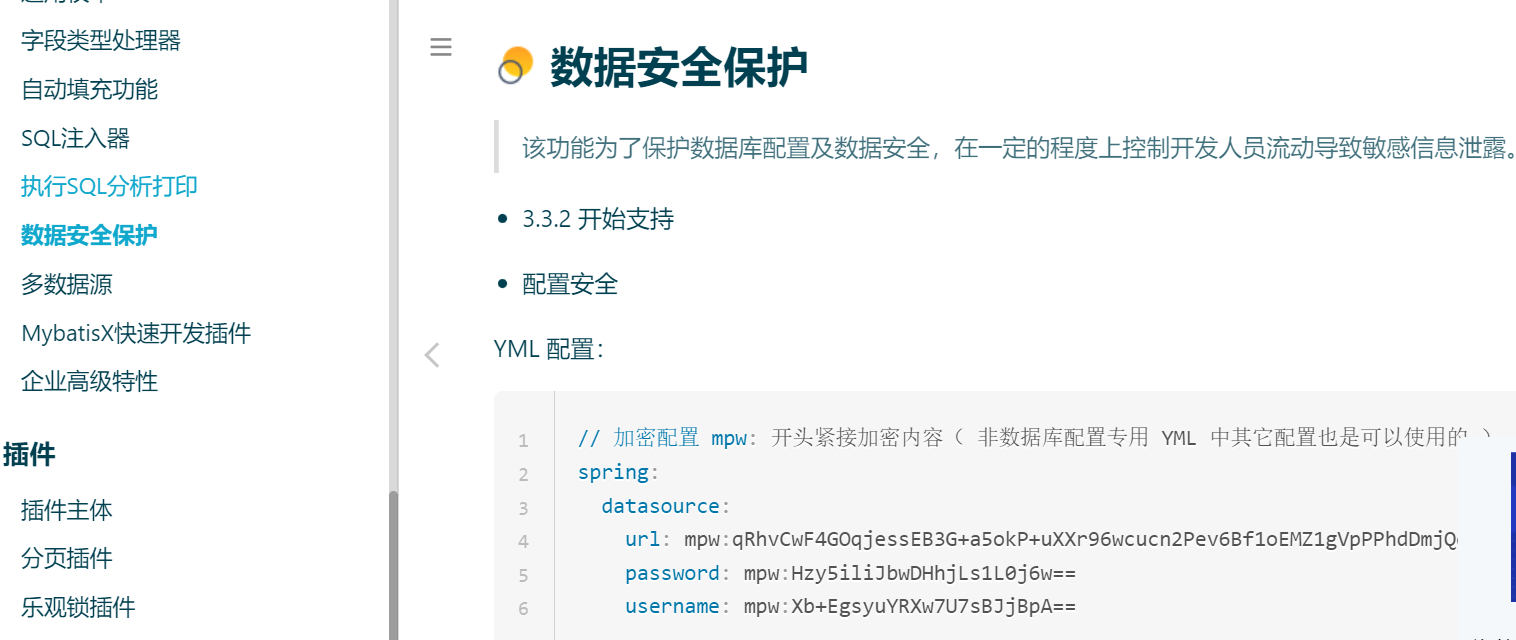
 代码实现1 创建mp工程
 2 代码编写pom.xml <dependencies>
<dependency>
<groupId>org.springframework.boot</groupId>
<artifactId>spring-boot-starter-web</artifactId>
</dependency>
<dependency>
<groupId>com.baomidou</groupId>
<artifactId>mybatis-plus-boot-starter</artifactId>
<version>3.4.1</version>
</dependency>
<dependency>
<groupId>mysql</groupId>
<artifactId>mysql-connector-java</artifactId>
</dependency>
<dependency>
<groupId>org.projectlombok</groupId>
<artifactId>lombok</artifactId>
<scope>provided</scope>
</dependency>
</dependencies>application.ymlspring:
datasource:
url: jdbc:mysql://localhost:3306/springboot?useSSL=false&characterEncoding=utf8&serverTimezone=Asia/Shanghai
driver-class-name: com.mysql.cj.jdbc.Driver
username: root
password: root
mybatis-plus:
type-aliases-package: com.itheima.pojo启动类package com.itheima;
import org.mybatis.spring.annotation.MapperScan;
import org.springframework.boot.SpringApplication;
import org.springframework.boot.autoconfigure.SpringBootApplication;
/
* @version 1.0
* @description 说明
* @package com.itheima
*/
@SpringBootApplication
@MapperScan(basePackages = “com.itheima.mapper”)
public class App {
public static void main(String[] args) {
SpringApplication.run(App.class,args);
}
}
pojopackage com.itheima.pojo;
import com.baomidou.mybatisplus.annotation.TableField;
import lombok.Data;
/
* @version 1.0
* @description 说明
* @package com.itheima.pojo
*/
@Data
public class User {
private Integer id;
private String username;
@TableField(select = false)
private String password;
private String salt;
}
mapperpackage com.itheima.mapper;
import com.baomidou.mybatisplus.core.mapper.BaseMapper;
import com.itheima.pojo.User;
import org.springframework.stereotype.Repository;
/
* @version 1.0
* @description 说明
* @package com.itheima.mapper
*/
@Repository
public interface UserMapper extends BaseMapper<User> {
}
service接口与实现类package com.itheima.service;
import com.baomidou.mybatisplus.extension.service.IService;
import com.itheima.pojo.User;
/
* @version 1.0
* @description 说明
* @package com.itheima.service
*/
public interface UserService extends IService<User> {
}
package com.itheima.service.impl;
import com.baomidou.mybatisplus.extension.service.impl.ServiceImpl;
import com.itheima.mapper.UserMapper;
import com.itheima.pojo.User;
import com.itheima.service.UserService;
import org.springframework.stereotype.Service;
/
* @version 1.0
* @description 说明
* @package com.itheima.service.impl
*/
@Service
public class UserServiceImpl extends ServiceImpl<UserMapper, User> implements UserService {
}
controllerpackage com.itheima.controller;
import com.itheima.pojo.User;
import com.itheima.service.UserService;
import org.springframework.beans.factory.annotation.Autowired;
import org.springframework.web.bind.annotation.GetMapping;
import org.springframework.web.bind.annotation.RequestMapping;
import org.springframework.web.bind.annotation.RestController;
import java.util.List;
/
* @version 1.0
* @description 说明
* @package com.itheima.controller
*/
@RestController
@RequestMapping(“user”)
public class UserController {
@Autowired
private UserService userService;
@GetMapping
public List<User> listAll(){
return userService.list();
}
}
启动测试生成加密后的内容package com.itheima;
import com.baomidou.mybatisplus.core.toolkit.AES;
import org.mybatis.spring.annotation.MapperScan;
import org.springframework.boot.SpringApplication;
import org.springframework.boot.autoconfigure.SpringBootApplication;
/
* @version 1.0
* @description 说明
* @package com.itheima
*/
@SpringBootApplication
@MapperScan(basePackages = “com.itheima.mapper”)
public class App {
public static void main(String[] args) {
String secretKey = AES.generateRandomKey();
System.out.println(“secretKey:” + secretKey);
String url = AES.encrypt(“jdbc:mysql://localhost:3306/springboot?useSSL=false&characterEncoding=utf8&serverTimezone=Asia/Shanghai”, secretKey);
String username = AES.encrypt(“username”, secretKey);
String password = AES.encrypt(“password”, secretKey);
System.out.println(“url=” +url );
System.out.println(“username=” +username );
System.out.println(“password=” +password );
SpringApplication.run(App.class,args);
}
}
2 代码编写pom.xml <dependencies>
<dependency>
<groupId>org.springframework.boot</groupId>
<artifactId>spring-boot-starter-web</artifactId>
</dependency>
<dependency>
<groupId>com.baomidou</groupId>
<artifactId>mybatis-plus-boot-starter</artifactId>
<version>3.4.1</version>
</dependency>
<dependency>
<groupId>mysql</groupId>
<artifactId>mysql-connector-java</artifactId>
</dependency>
<dependency>
<groupId>org.projectlombok</groupId>
<artifactId>lombok</artifactId>
<scope>provided</scope>
</dependency>
</dependencies>application.ymlspring:
datasource:
url: jdbc:mysql://localhost:3306/springboot?useSSL=false&characterEncoding=utf8&serverTimezone=Asia/Shanghai
driver-class-name: com.mysql.cj.jdbc.Driver
username: root
password: root
mybatis-plus:
type-aliases-package: com.itheima.pojo启动类package com.itheima;
import org.mybatis.spring.annotation.MapperScan;
import org.springframework.boot.SpringApplication;
import org.springframework.boot.autoconfigure.SpringBootApplication;
/
* @version 1.0
* @description 说明
* @package com.itheima
*/
@SpringBootApplication
@MapperScan(basePackages = “com.itheima.mapper”)
public class App {
public static void main(String[] args) {
SpringApplication.run(App.class,args);
}
}
pojopackage com.itheima.pojo;
import com.baomidou.mybatisplus.annotation.TableField;
import lombok.Data;
/
* @version 1.0
* @description 说明
* @package com.itheima.pojo
*/
@Data
public class User {
private Integer id;
private String username;
@TableField(select = false)
private String password;
private String salt;
}
mapperpackage com.itheima.mapper;
import com.baomidou.mybatisplus.core.mapper.BaseMapper;
import com.itheima.pojo.User;
import org.springframework.stereotype.Repository;
/
* @version 1.0
* @description 说明
* @package com.itheima.mapper
*/
@Repository
public interface UserMapper extends BaseMapper<User> {
}
service接口与实现类package com.itheima.service;
import com.baomidou.mybatisplus.extension.service.IService;
import com.itheima.pojo.User;
/
* @version 1.0
* @description 说明
* @package com.itheima.service
*/
public interface UserService extends IService<User> {
}
package com.itheima.service.impl;
import com.baomidou.mybatisplus.extension.service.impl.ServiceImpl;
import com.itheima.mapper.UserMapper;
import com.itheima.pojo.User;
import com.itheima.service.UserService;
import org.springframework.stereotype.Service;
/
* @version 1.0
* @description 说明
* @package com.itheima.service.impl
*/
@Service
public class UserServiceImpl extends ServiceImpl<UserMapper, User> implements UserService {
}
controllerpackage com.itheima.controller;
import com.itheima.pojo.User;
import com.itheima.service.UserService;
import org.springframework.beans.factory.annotation.Autowired;
import org.springframework.web.bind.annotation.GetMapping;
import org.springframework.web.bind.annotation.RequestMapping;
import org.springframework.web.bind.annotation.RestController;
import java.util.List;
/
* @version 1.0
* @description 说明
* @package com.itheima.controller
*/
@RestController
@RequestMapping(“user”)
public class UserController {
@Autowired
private UserService userService;
@GetMapping
public List<User> listAll(){
return userService.list();
}
}
启动测试生成加密后的内容package com.itheima;
import com.baomidou.mybatisplus.core.toolkit.AES;
import org.mybatis.spring.annotation.MapperScan;
import org.springframework.boot.SpringApplication;
import org.springframework.boot.autoconfigure.SpringBootApplication;
/
* @version 1.0
* @description 说明
* @package com.itheima
*/
@SpringBootApplication
@MapperScan(basePackages = “com.itheima.mapper”)
public class App {
public static void main(String[] args) {
String secretKey = AES.generateRandomKey();
System.out.println(“secretKey:” + secretKey);
String url = AES.encrypt(“jdbc:mysql://localhost:3306/springboot?useSSL=false&characterEncoding=utf8&serverTimezone=Asia/Shanghai”, secretKey);
String username = AES.encrypt(“username”, secretKey);
String password = AES.encrypt(“password”, secretKey);
System.out.println(“url=” +url );
System.out.println(“username=” +username );
System.out.println(“password=” +password );
SpringApplication.run(App.class,args);
}
}
 替换配置文件spring:
datasource:
url: mpw:wT9PqZ9Hf4VWgXDuZ/Z1JKfdDyS0sSu3+O2qDkJ/Ulnabpq3z1lZbiThWseQ4DQSx3+SWpufsTysjdYhn6Scsa77AzIIaUgv8DZ17gPxAq88AISmxd9OjxidmY50uBVMkGhP9qAted45zuHBzVrw6Q==
driver-class-name: com.mysql.cj.jdbc.Driver
username: mpw:Pnh++mI45YrC4s6JveJYaA==
password: mpw:Pnh++mI45YrC4s6JveJYaA==
mybatis-plus:
type-aliases-package: com.itheima.pojo添加启动参数
替换配置文件spring:
datasource:
url: mpw:wT9PqZ9Hf4VWgXDuZ/Z1JKfdDyS0sSu3+O2qDkJ/Ulnabpq3z1lZbiThWseQ4DQSx3+SWpufsTysjdYhn6Scsa77AzIIaUgv8DZ17gPxAq88AISmxd9OjxidmY50uBVMkGhP9qAted45zuHBzVrw6Q==
driver-class-name: com.mysql.cj.jdbc.Driver
username: mpw:Pnh++mI45YrC4s6JveJYaA==
password: mpw:Pnh++mI45YrC4s6JveJYaA==
mybatis-plus:
type-aliases-package: com.itheima.pojo添加启动参数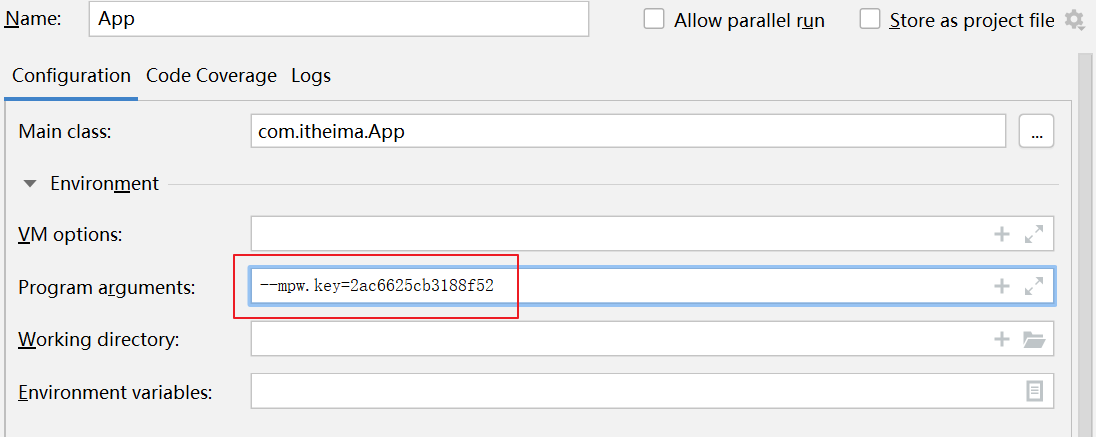 运行效果
运行效果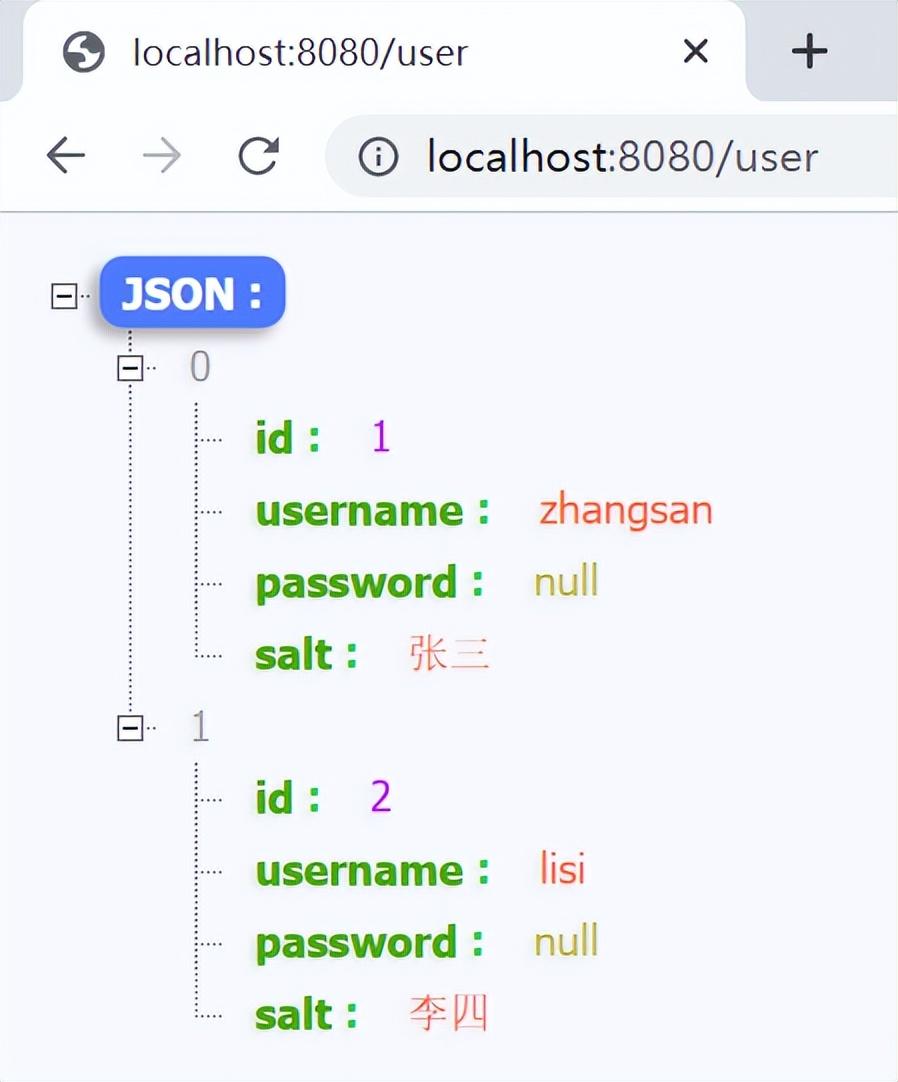 3 优化目的
 实现创建配置工程mysafe
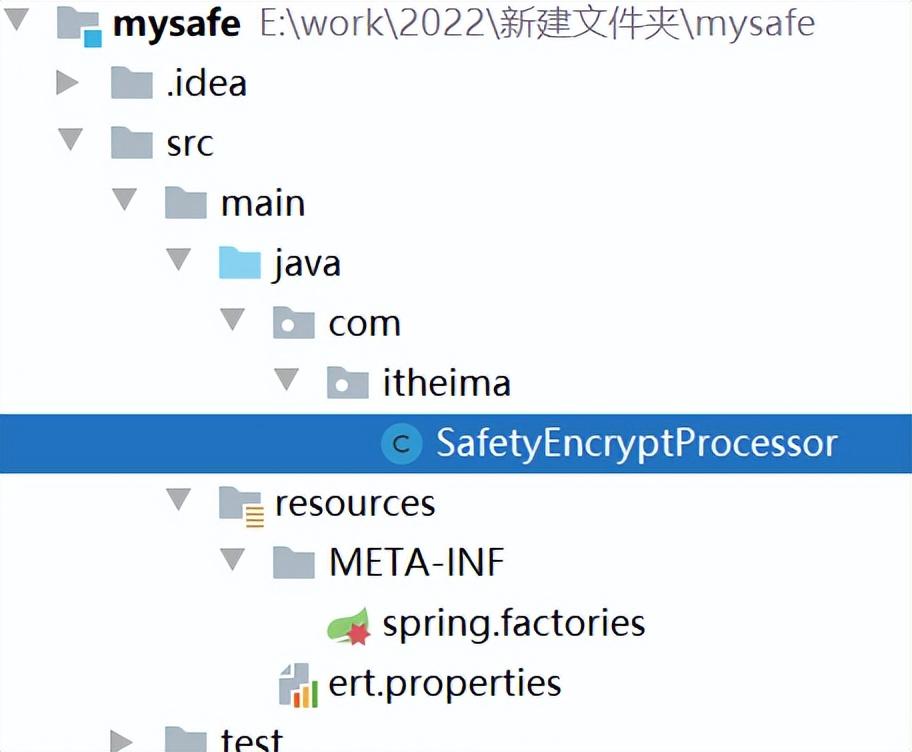 代码清单
代码清单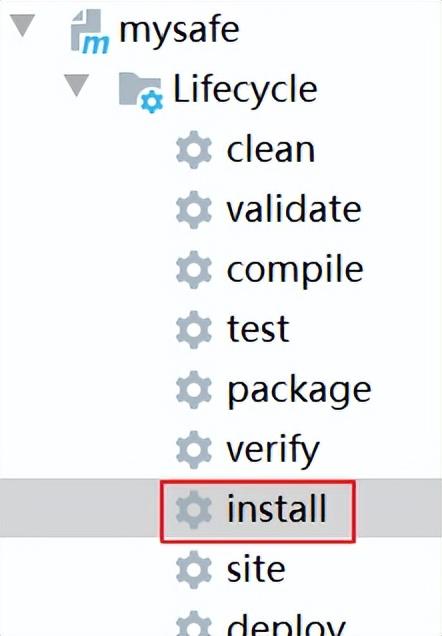 修改mp工程添加依赖
 总结MybatisPlus利用了springboot的配置信息增强器与SPI机制来实现对配置文件中敏感数据的解密处理。mysafe工程打成的jar包,将来就上传到企业的内部服务器上,当密钥变更时,重新打包即可。而我们将来布署项目到服务器上时,也肯定存在配置文件,一旦配置信息暴露,则数据库就危险了。通过加密手段能够让破解者增加破解阻碍。此次练习仅做抛砖引玉作用,关于加密与解密是没有做到那么严谨的,需要结合自己公司实际情况去调整。
存在数据库中的数据对于普通用户而言是不可见的,好像是藏起来了一样,但对于开发者,只要知道数据库的连接地址、用户名、密码,则数据不再安全;这也意味着,一旦连接数据库的配置文件暴露出去,则数据不再安全。
应用场景开发中的数据库配置文件或配置中心中的配置信息
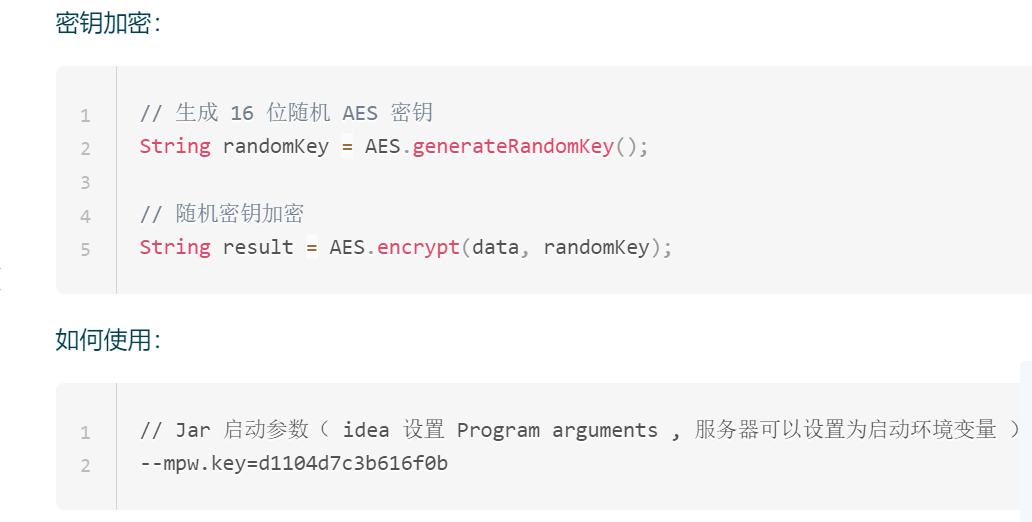
API介绍MybatisPlus中有个针对配置项加密处理的
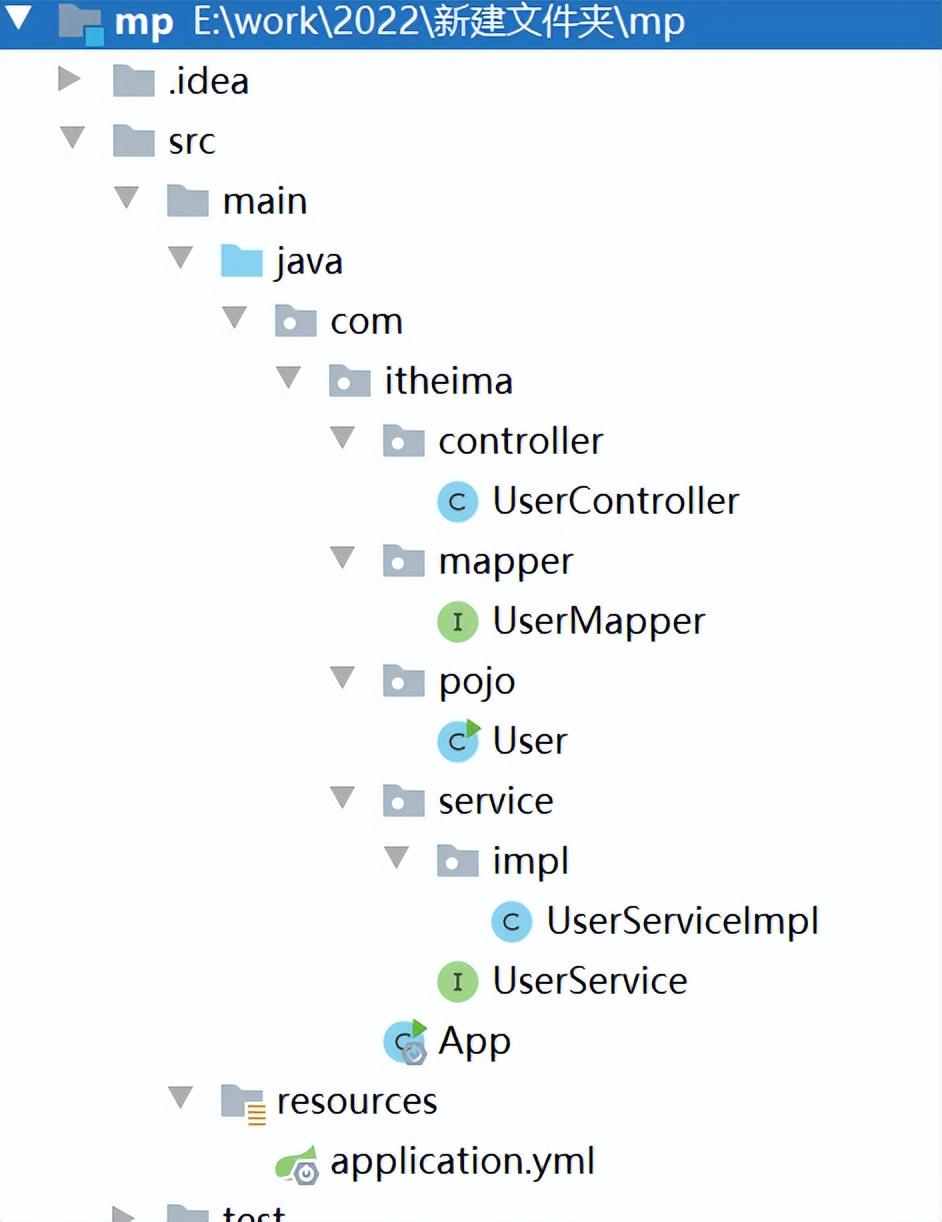
创建maven工程,结构如下:
启动时,需要指定密钥 才能使用,如果我们把它封装到一个jar里,让它启动时自动去加载密钥,且密钥可配置,那这样就更灵活了。
分析通过查看MybatisPlus加载的源码,其做解密处理的类如下:
/* * Copyright (c) 2011-2020, baomidou (jobob@qq.com). * <p> * Licensed under the Apache License, Version 2.0 (the “License”); you may not * use this file except in compliance with the License. You may obtain a copy of * the License at * <p> * https://www.apache.org/licenses/LICENSE-2.0 * <p> * Unless required by applicable law or agreed to in writing, software * distributed under the License is distributed on an “AS IS” BASIS, WITHOUT * WARRANTIES OR CONDITIONS OF ANY KIND, either express or implied. See the * License for the specific language governing permissions and limitations under * the License. */ package com.baomidou.mybatisplus.autoconfigure; import com.baomidou.mybatisplus.core.toolkit.AES; import com.baomidou.mybatisplus.core.toolkit.CollectionUtils; import com.baomidou.mybatisplus.core.toolkit.StringUtils; import org.springframework.boot.SpringApplication; import org.springframework.boot.env.EnvironmentPostProcessor; import org.springframework.boot.env.OriginTrackedMapPropertySource; import org.springframework.core.env.ConfigurableEnvironment; import org.springframework.core.env.MapPropertySource; import org.springframework.core.env.PropertySource; import org.springframework.core.env.SimpleCommandLinePropertySource; import java.util.HashMap; / * 安全加密处理器 * * @author hubin * @since 2020-05-23 */ public class SafetyEncryptProcessor implements EnvironmentPostProcessor { @Override public void postProcessEnvironment(ConfigurableEnvironment environment, SpringApplication application) { / * 命令行中获取密钥 */ String mpwKey = null; for (PropertySource<?> ps : environment.getPropertySources()) { if (ps instanceof SimpleCommandLinePropertySource) { SimpleCommandLinePropertySource source = (SimpleCommandLinePropertySource) ps; mpwKey = source.getProperty(“mpw.key”); break; } } / * 处理加密内容 */ if (StringUtils.isNotBlank(mpwKey)) { HashMap<String, Object> map = new HashMap<>(); for (PropertySource<?> ps : environment.getPropertySources()) { if (ps instanceof OriginTrackedMapPropertySource) { OriginTrackedMapPropertySource source = (OriginTrackedMapPropertySource) ps; for (String name : source.getPropertyNames()) { Object value = source.getProperty(name); if (value instanceof String) { String str = (String) value; if (str.startsWith(“mpw:”)) { map.put(name, AES.decrypt(str.substring(4), mpwKey)); } } } } } // 将解密的数据放入环境变量,并处于第一优先级上 if (CollectionUtils.isNotEmpty(map)) { environment.getPropertySources().addFirst(new MapPropertySource(“custom-encrypt”, map)); } } } }其使用了SPI原理,在类所在的jar下的META-INF/spring.factories中配置了这个SafetyEncryptProcessor。那我们能否也来定义一个这样的配置处理器,判断环境配置中是否配置了–mpw.key,如果没有配置,则给它配置上,这样就不用在启动时添加参数来运行了。
pom.xml
<parent> <artifactId>spring-boot-starter-parent</artifactId> <groupId>org.springframework.boot</groupId> <version>2.3.8.RELEASE</version> </parent> <dependencies> <dependency> <groupId>org.springframework.boot</groupId> <artifactId>spring-boot-starter</artifactId> </dependency> </dependencies>SafetyEncryptProcessor
package com.itheima; import org.springframework.boot.SpringApplication; import org.springframework.boot.env.EnvironmentPostProcessor; import org.springframework.core.Ordered; import org.springframework.core.env.ConfigurableEnvironment; import org.springframework.core.env.PropertySource; import org.springframework.core.env.SimpleCommandLinePropertySource; import org.springframework.core.io.ClassPathResource; import org.springframework.util.StringUtils; import java.io.IOException; import java.util.Properties; / * @version 1.0 * @description 说明 * @package com.itheima */ public class SafetyEncryptProcessor implements EnvironmentPostProcessor, Ordered { @Override public void postProcessEnvironment(ConfigurableEnvironment environment, SpringApplication application) { Properties pro = new Properties(); try { pro.load(new ClassPathResource(“ert.properties”).getInputStream()); } catch (IOException e) { e.printStackTrace(); } / * 命令行中获取密钥 */ String mpwKey = null; for (PropertySource<?> ps : environment.getPropertySources()) { if (ps instanceof SimpleCommandLinePropertySource) { SimpleCommandLinePropertySource source = (SimpleCommandLinePropertySource) ps; mpwKey = source.getProperty(“mpw.key”); break; } } if(StringUtils.isEmpty(mpwKey)){ environment.getPropertySources().addFirst(new SimpleCommandLinePropertySource(“mySpringApplicationCommandLineArgs”, “–mpw.key=” + pro.getProperty(“ert.version”))); } } @Override public int getOrder() { return 0; } }spring.factories
ert.version=b440fe7fd55dbe26 org.springframework.boot.env.EnvironmentPostProcessor= com.itheima.SafetyEncryptProcessorert.properties
ert.version=2ac6625cb3188f52安装到本地仓库修改pom.xml,添加mysafe的依赖
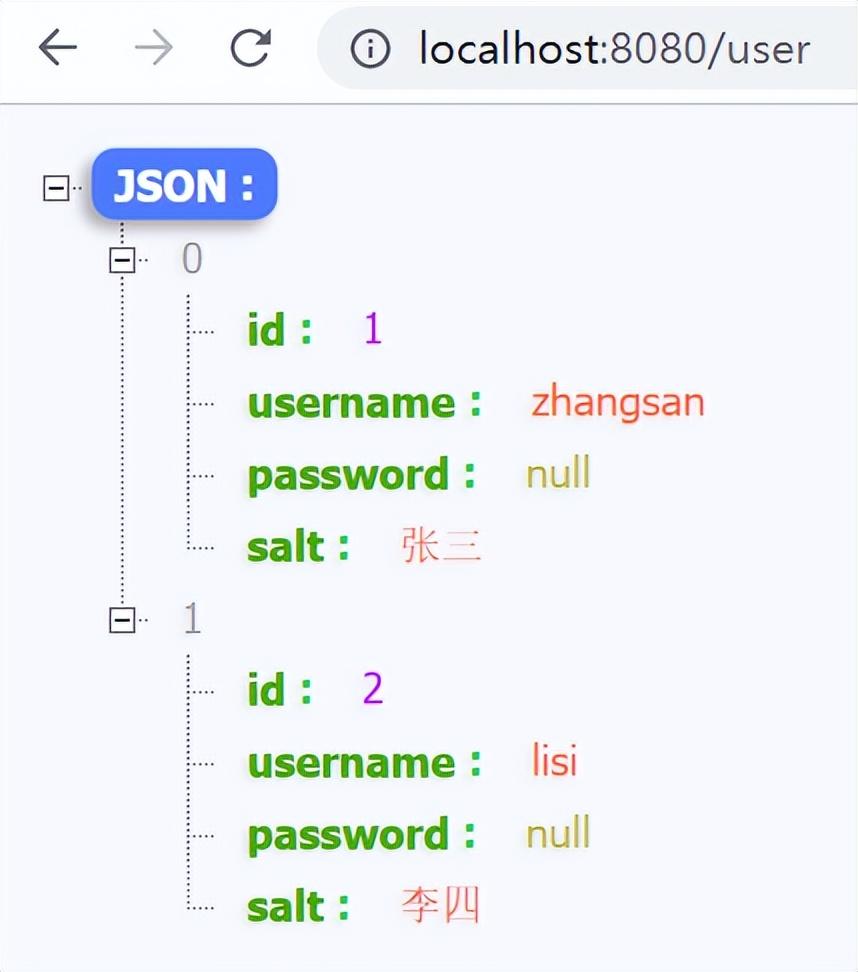
<dependency> <groupId>com.itheima</groupId> <artifactId>mysafe</artifactId> <version>1.0-SNAPSHOT</version> </dependency>4 测试结果去除启动时的参数设置。再启动后访问页面、效果如下:
免责声明:文章内容来自互联网,本站仅作为分享,不对其真实性负责,如有侵权等情况,请与本站联系删除。
转载请注明出处:MybatisPlus数据安全,你掌握了吗 https://www.dachanpin.com/a/cyfx/11431.html